 PDF Compare Offline
For macOS · document comparison
Two versions.
Every change highlighted.
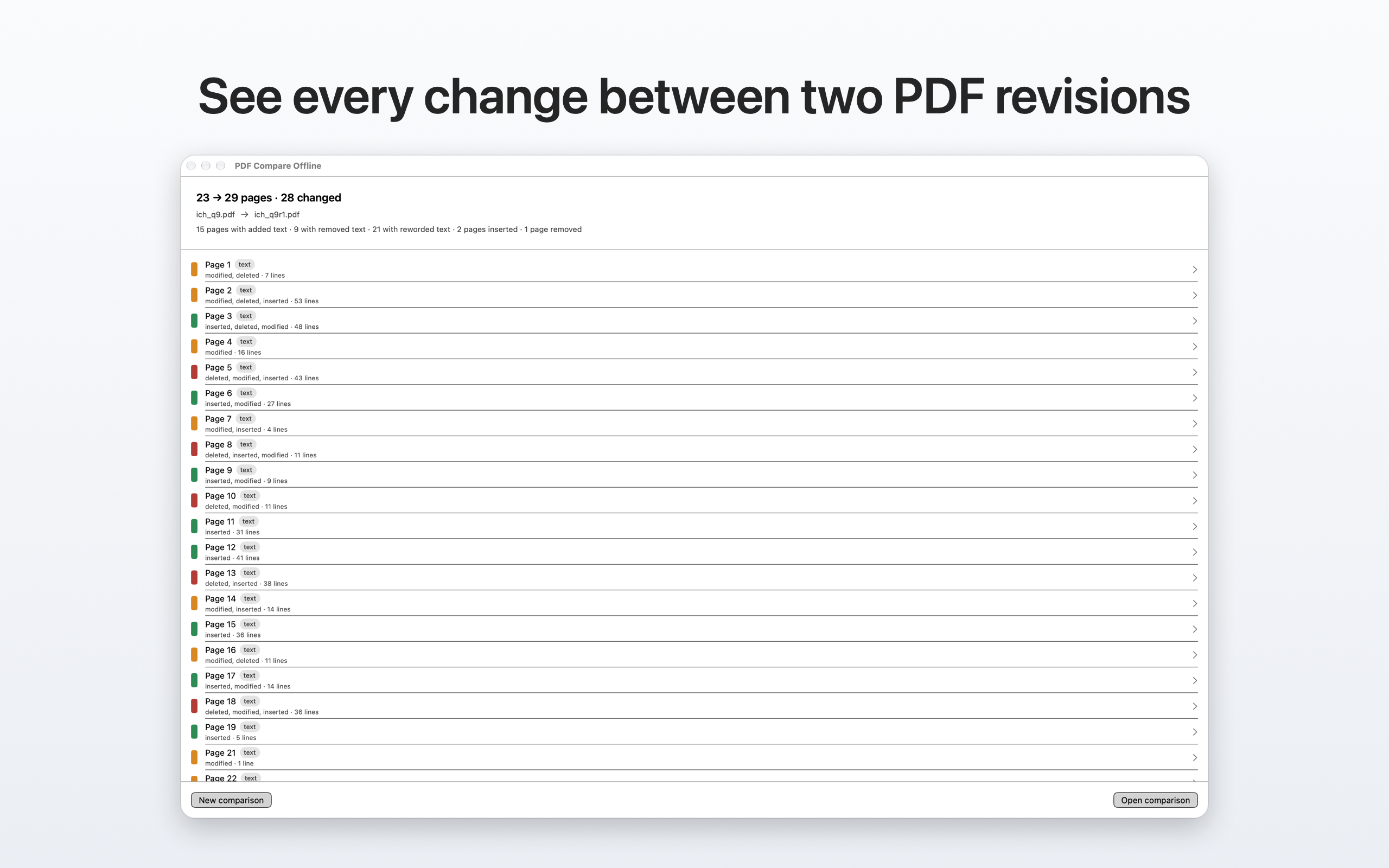
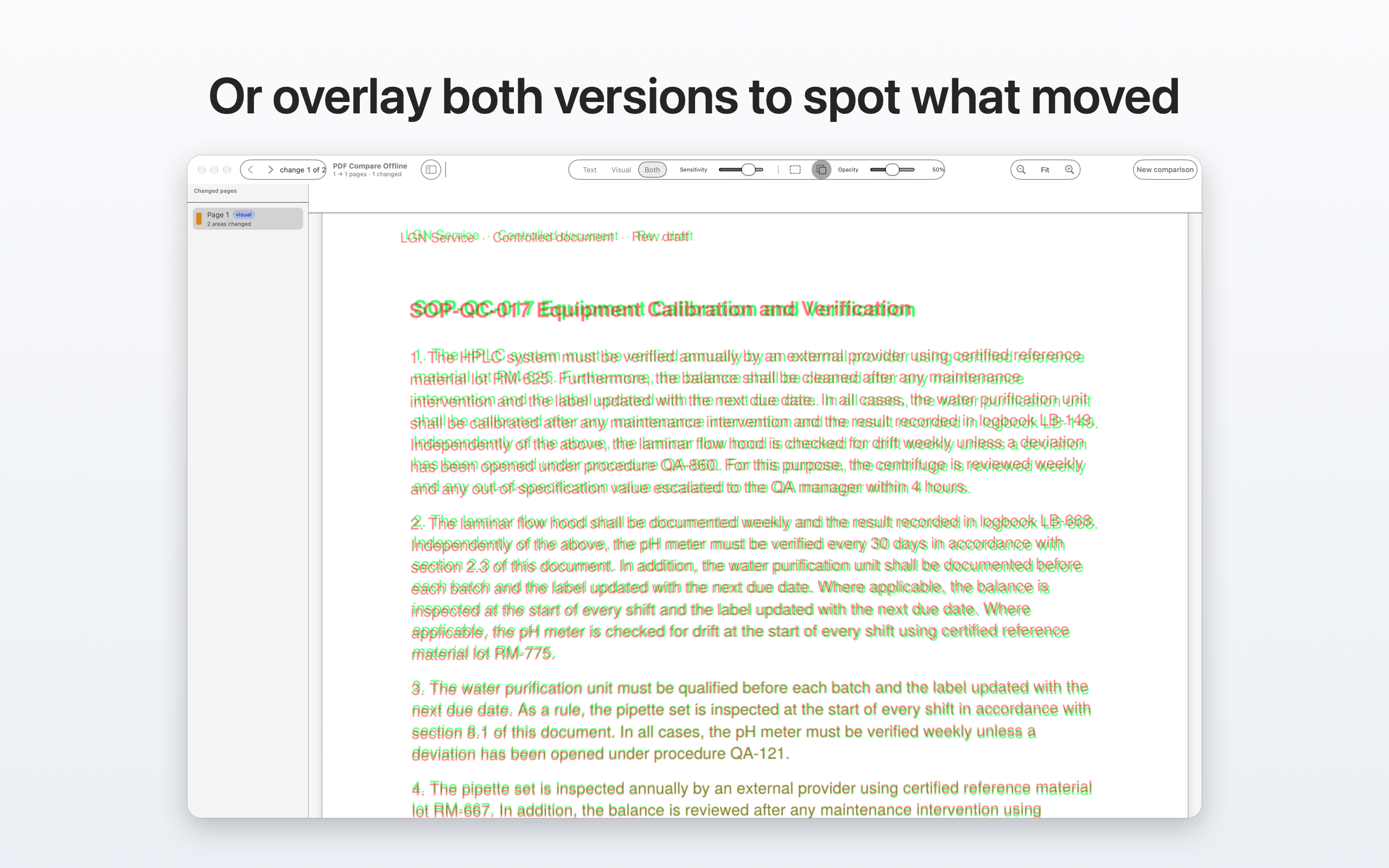
Open the old revision and the new one: added, removed and rewritten text, inserted or deleted pages. Everything runs on your Mac — the app has no network access at all.
Retention samples shall be kept for at least five years from the date of batch release. Disposal is authorised by the department manager.
Retention samples shall be kept for at least seven years from the date of batch release, under continuously monitored temperature and humidity. Disposal is authorised by QA.
Up to 10 pages on Mac, 20 on iPad — free
The full comparison, every change, no account and no time limit. Short SOPs, contracts and letters fit here.
Longer documents — $19.99 once
Free keeps working above that (10 pages on Mac, 20 on iPad): the comparison runs in full and every changed page is counted and listed, and the document is shown down to the fifth changed page. One payment removes the limit for good.
The app, on a real document.
macOS 14 or later · Apple Silicon and Intel
Nothing leaves your Mac.
The app ships without network permissions: it cannot connect, even if you asked it to. No account, no upload, no telemetry. Your documents stay where they are.
Buy it once. It stays yours.
PDF Compare Offline
$19.99
one time · version updates included
- Documents up to 10 pages on Mac, 20 on iPad: free, in full
- Longer documents: free shows down to the fifth changed page, the unlock shows all of it
- No subscription, no renewal
Subscription tools
$19.99 / month
that is $719.64 over three years
- Comparison stops when the licence lapses
- Account and cloud services required
- Features you never use, in the price
Adobe Acrobat Pro, the most common monthly plan for PDF comparison, listed at $19.99 per month in September 2026. See the full comparison →
What the comparison shows.
Added text
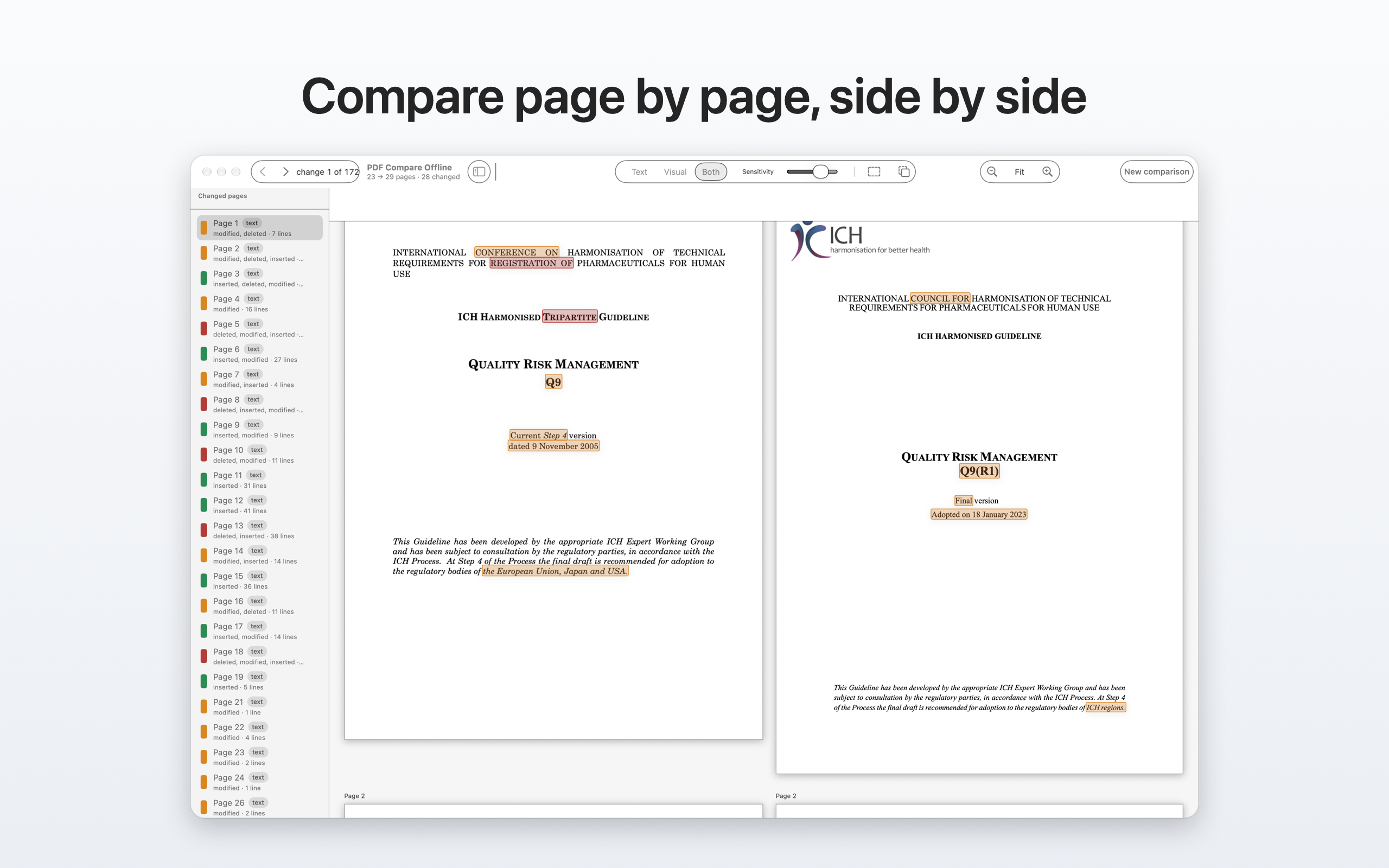
Word by word, not line by line: exactly what entered the new revision.
Removed text
Deleted passages stay readable in the left column, struck through in red.
Rewritten text
Reworded passages are marked as such, side by side with the original.
Inserted or deleted pages
Alignment accounts for new pages, so shifted numbering never creates false positives.
Try it on the next document you have to check.
Up to 10 pages on Mac, and 20 on iPad, the comparison is complete and free. Above that, the free version shows the comparison down to the fifth changed page, and Pro unlocks the rest.